How to Prompt in 2026 for More AI Autonomy
Stop asking. Start delegating.
Most people still prompt AI like they're chatting with a search engine — one question, one answer, rinse and repeat. That works for simple tasks. But 85% of developers now use AI coding tools, and the ones getting 10x leverage aren't writing better single-turn prompts. They're writing instructions that let the AI run.
The shift is simple: you're no longer the driver. You're the manager. You define what needs to happen and how to verify it worked. The AI figures out the implementation.
Here's how to prompt for more autonomy in 2026 — and why it matters more than ever.
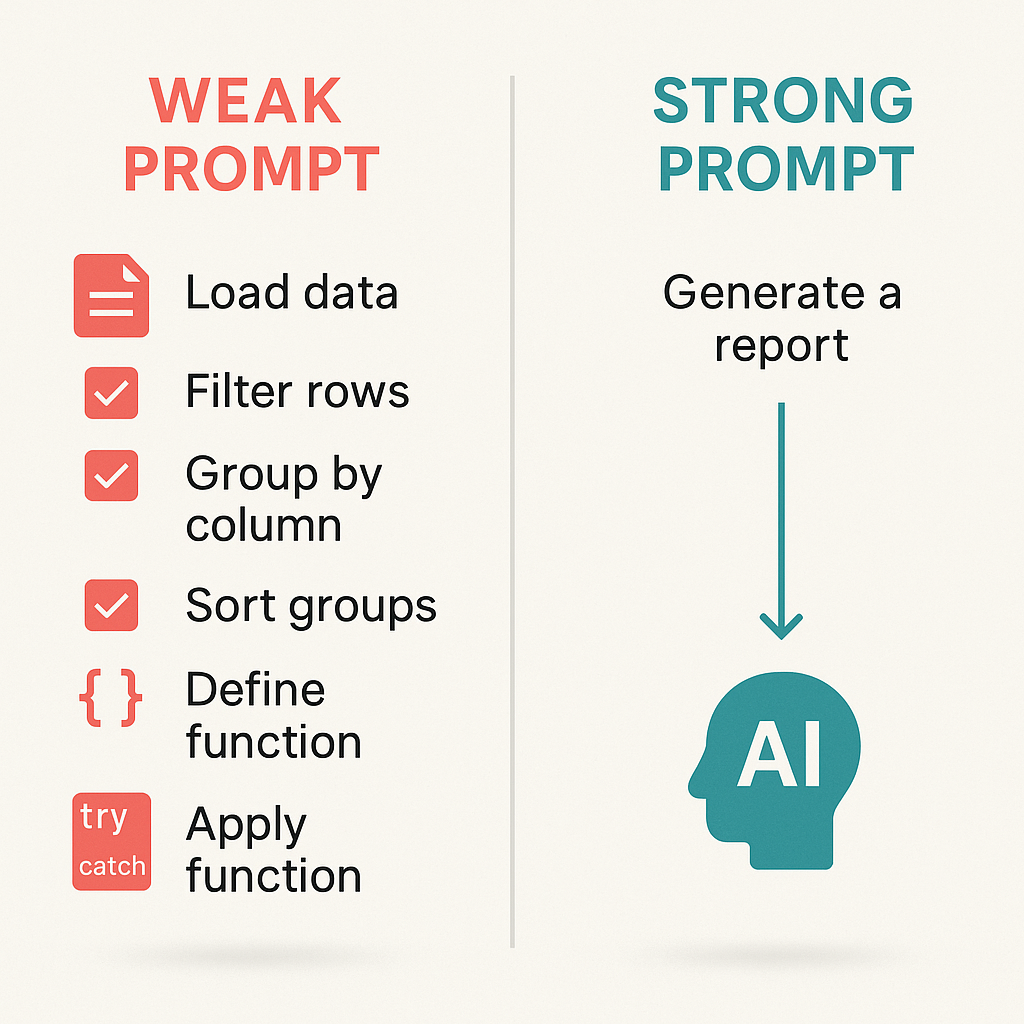
1. State the Outcome, Not the Steps
Weak prompt: "Open the file, find the function, add a try-catch, return 401."
Strong prompt: "The auth middleware crashes when it gets an expired JWT. Fix it so expired tokens return 401 instead of crashing."
The difference: The weak prompt micromanages. The strong prompt explains the problem and desired outcome. The AI can figure out the best fix — which might not be a try-catch at all. Maybe it's a different error handler. Maybe it's a middleware order change. You don't care. You care that expired tokens don't take down the server.
Give goals, not playbooks. Agents are better at figuring out implementation when you give them clear objectives.
2. Add Constraints, Not Commands
Tell the AI what not to do. That's where autonomy gets safe.
- "Don't change the public API of exported functions."
- "Don't install new dependencies without asking first."
- "Keep backward compatibility with the v2 API."
- "Don't modify the database schema."
Constraints are guardrails. They let the AI move fast without blowing past boundaries. Research in 2025–2026 shows that constraint compliance and semantic accuracy are separate dimensions — and that models often violate constraints when RLHF-trained helpfulness pushes them to "do more." Explicit, testable constraints counteract that drift.
Make constraints verifiable. "Write clean code" isn't. "Run pnpm lint before committing" is.
3. Build Verification Into the Prompt
This is the part most people skip — and it's the most important for agentic workflows.
Tell the AI how to check its own work:
- "Run
pnpm buildat the end to verify everything compiles." - "Check that the endpoint returns 200 for valid tokens and 401 for expired ones."
- "Run the relevant test file after modifying a module."
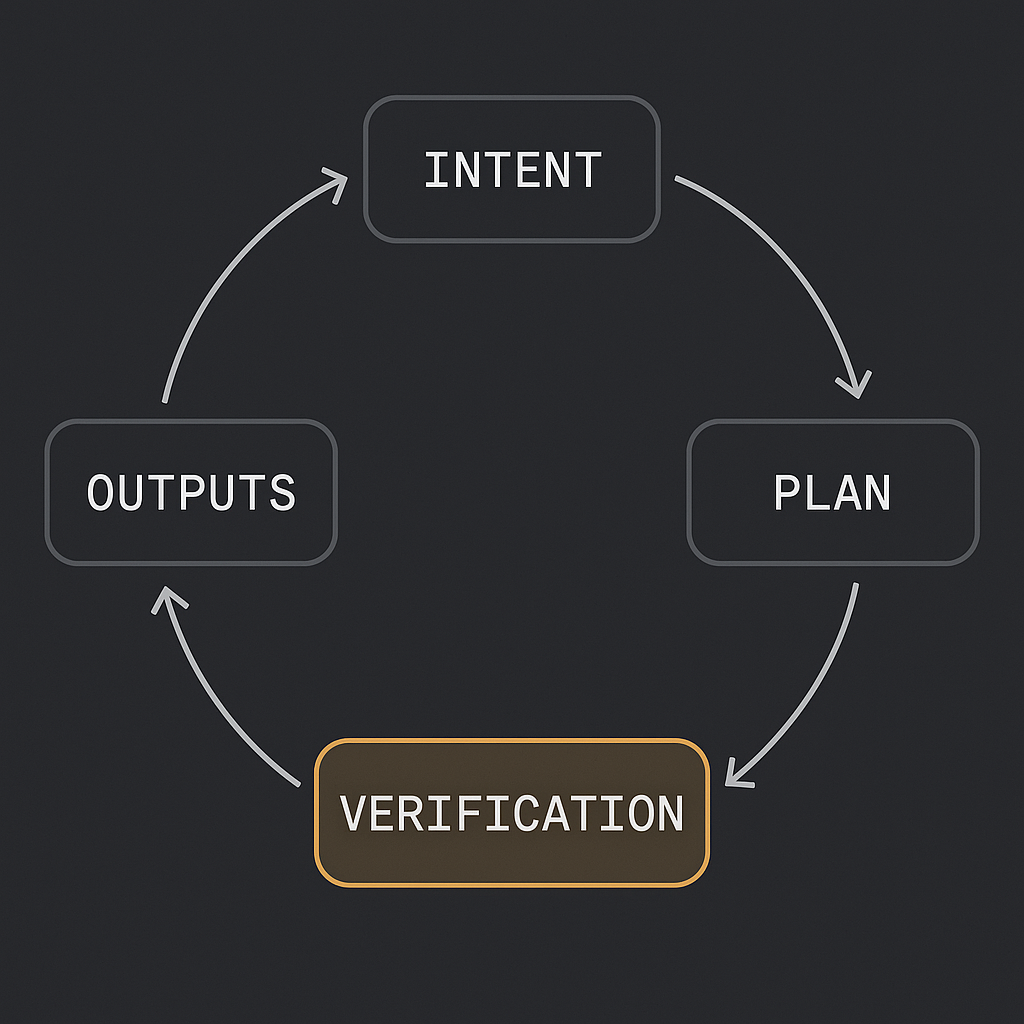
Verification turns one-shot hope into repeatable confidence. Production agentic workflows loop through: intent → plan → tools → verification → outputs. If you don't define verification, the agent has no signal that it's done — or that it succeeded.
Verification-aware planning is emerging as a core pattern: encode pass-fail checks for each subtask so the agent can proceed or halt on facts, not vibes.
4. Use Rules Files, Not One-Off Prompts
Don't repeat yourself. Create persistent instruction files that agents read automatically.
- Claude Code:
CLAUDE.md - Cursor:
.cursorrules - Cross-tool:
AGENTS.md(40,000+ open-source projects use it)
Good rules files include:
- Tech stack and conventions
- Hard constraints ("don't modify migrations without asking")
- Verification steps ("run tests after changes")
- Project-specific context ("tests live in
__tests__/next to source")
Start with 10–20 lines. Add rules as the agent makes the same mistake twice. A good rules file grows organically — don't try to anticipate everything upfront.
5. Delegate Decomposition When You Trust the Patterns
Complex tasks need to be broken into steps. You can do it yourself, or you can let the AI do it.
You decompose: When the task involves business decisions, sequencing that matters, or high-stakes ordering.
AI decomposes: When it's purely technical implementation and you trust it to follow existing patterns.
Rule of thumb: Decompose yourself when the task involves judgment. Let the agent decompose when it's mechanical.
6. Think ReAct, Not Just Chain-of-Thought
ReAct (Reasoning + Acting) alternates between reasoning steps and tool use. The agent thinks, acts, observes, then thinks again. That loop reduces hallucination and keeps plans grounded in real data.
Chain-of-thought alone can drift. ReAct anchors reasoning in observations. For autonomous workflows, that matters: the AI is making decisions based on what it actually retrieved or executed, not what it imagined.
Use ReAct-style prompting when the task involves tools, APIs, or multi-step execution. Tell the AI to reason before acting — e.g., "I need X to answer this. Let me search for it" — and to process observations before the next step.
7. Define Permission Boundaries
Agents can do powerful things. You need clear boundaries.
Allow freely: Creating files, editing code, running tests and linters, reading files.
Gate behind confirmation: Deleting files or branches, pushing to remote, changing database schemas, modifying CI/CD, installing dependencies.
Most agent tools support permission modes. Use them. Treat agents like capable junior developers — clear scope, clear verification, clear limits.
8. When to Use Agents vs. Static Automation
Agents excel at tasks requiring judgment under ambiguity. For predictable pipelines with fixed rules, deterministic code (DAGs, cron jobs, scripts) is cheaper and more reliable.
Use agents when:
- Inputs are messy or variable
- The path depends on what the AI finds
- You need adaptive planning, not a fixed sequence
Use static automation when:
- The workflow is well-defined
- You want repeatable retries and audit trails
- Cost and latency need to be predictable
Gartner forecasts that 40% of enterprise apps will feature task-specific AI agents by 2026 — and that over 40% of agentic AI projects may be canceled by 2027. The ones that survive will be the ones with clear objectives, measurable verification, and governance.
The Bottom Line
Prompting for autonomy in 2026 isn't about writing longer prompts. It's about writing prompts that answer three questions:
- What needs to happen? (Objective)
- What are the guardrails? (Constraints)
- How do we know it worked? (Verification)
Get those right, and the AI can run. Get them wrong, and you're still driving every turn.
The question isn't whether AI can work autonomously — it's whether you'll be the one giving it room to.

Written by
Ben Laube
AI Implementation Strategist & Real Estate Tech Expert
Ben Laube helps real estate professionals and businesses harness the power of AI to scale operations, increase productivity, and build intelligent systems. With deep expertise in AI implementation, automation, and real estate technology, Ben delivers practical strategies that drive measurable results.
View full profile