How to Build an AI Knowledge Base for Your Real Estate Business (Step-by-Step Guide)
How to Build an AI Knowledge Base for Your Real Estate Business (Step-by-Step Guide)
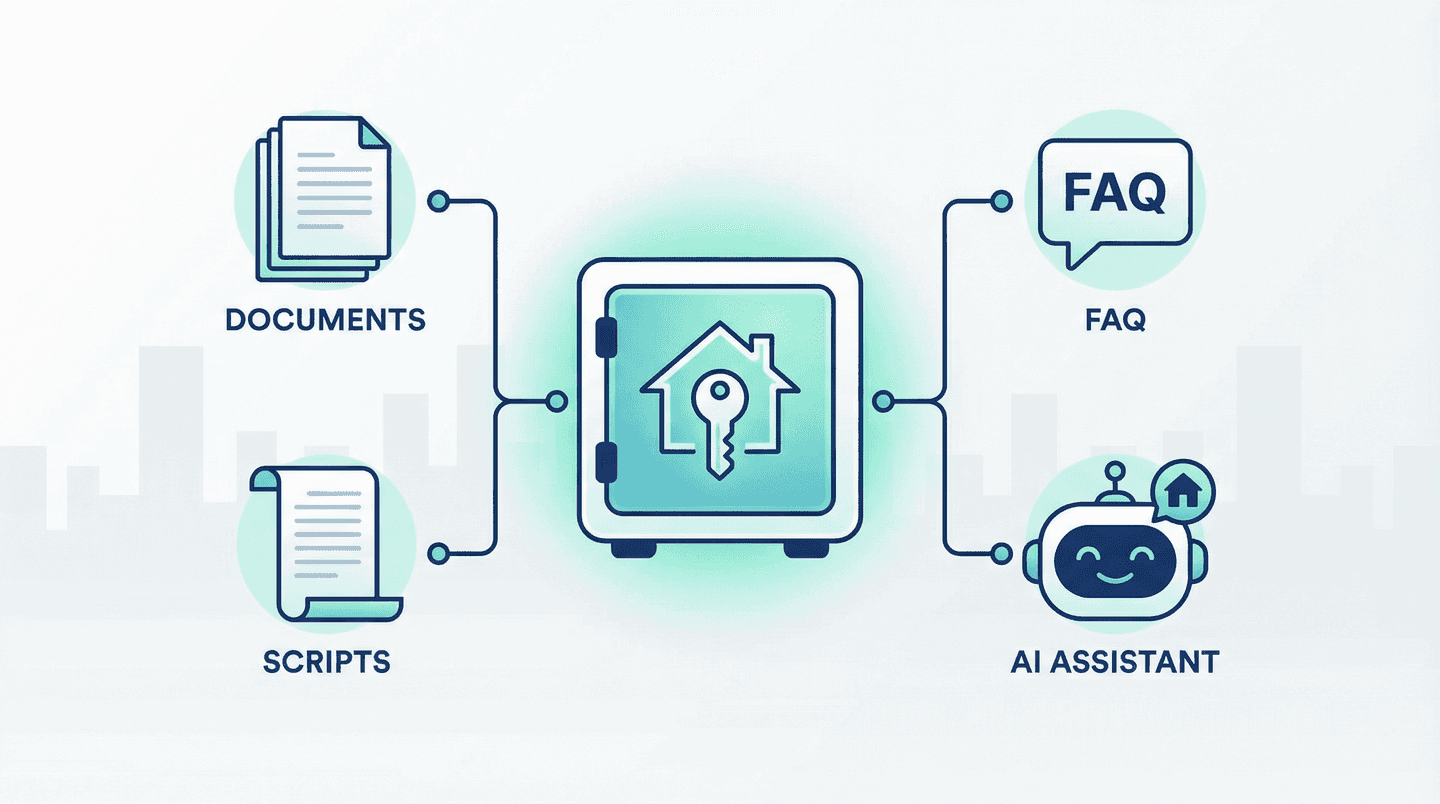
Your best scripts, listing FAQs, and process docs are probably scattered across Google Docs, email threads, and someone’s head. An AI knowledge base puts them in one place — structured so your team and AI tools can actually use them.
This isn’t theory. It’s a practical, step-by-step build you can do in a weekend and refine over time.
Why Real Estate Teams Need an AI-Ready Knowledge Base
Agents waste hours answering the same questions, digging for the right script, or re-explaining your process. AI tools can’t help if the answers live in unstructured PDFs or tribal knowledge.
An AI-ready knowledge base means:
- Structured, searchable content — Not just a document dump. Clear sections, consistent headings, and metadata so retrieval works.
- Single source of truth — Listing FAQs, objection handlers, compliance language, and scripts in one place.
- Usable by humans and AI — Your CRM, chatbots, and AI assistants can query it. So can your team.
Once it’s built, you can power AI automation, AI content, and AI literacy efforts from the same foundation.
Step 1: Audit What You Already Have
Before you build anything, inventory what you’ve got.
- Scripts and talk tracks — Buyer/seller scripts, objection handlers, open-house scripts.
- Listing and market FAQs — Common questions about neighborhoods, schools, HOA, timelines.
- Process docs — Transaction checklists, compliance steps, how you handle offers and contingencies.
- Brand and positioning — How you describe your team, your differentiators, your guarantees.
Put everything in a simple list with location (Doc, Notion, email, “in Sarah’s head”). Mark what’s current vs outdated. You’re not building from zero — you’re consolidating.
Step 2: Choose a Structure That Scales
Pick a structure that both humans and AI can navigate.
Suggested structure:
- By role or use case — e.g. Buyer scripts, Seller scripts, Lead follow-up, Listing prep.
- By topic — Neighborhoods, financing, timelines, compliance.
- By format — FAQs (Q&A), scripts (conversation), checklists (steps).
Use consistent headings (e.g. always ## Question and ## Answer for FAQs). Add a short summary or one-liner at the top of each doc so retrieval tools can match intent, not just keywords.
Step 3: Move Content Into Your Knowledge Base
Where to host it depends on how you’ll use it:
- Notion, Confluence, or a wiki — Good if your team will edit often and you want a friendly UI. Export or API can feed AI later.
- Markdown in a repo or shared drive — Best if you want version control and easy integration with AI tools and custom AI agents.
- Dedicated knowledge-base platforms — Tools like Stack AI, Rezolve, or custom RAG setups that are built for AI retrieval.
Rules of thumb:
- One topic or script per page/file when possible.
- Use clear titles and subheadings.
- Include “last updated” or a simple version note so you know what’s stale.
Step 4: Make It AI-Readable
AI doesn’t read like a human. It matches chunks of text to questions. To make your base AI-ready:
- Keep paragraphs short — 2–4 sentences. Long walls of text are harder to retrieve accurately.
- Use lists and bullets for steps, options, and criteria.
- Add keywords and phrases that clients and agents actually use (e.g. “earnest money,” “contingency period,” “HOA transfer”).
- Tag or label content by type (script, FAQ, compliance) and audience (buyer, seller, lead) if your tool supports it.
This is the step that turns a shared drive into something an AI knowledge base strategy can actually query.
Step 5: Connect It to How You Work
A knowledge base only helps if it’s where work happens.
- CRM — Link or embed key scripts and FAQs in contact and deal records.
- Chatbots and AI assistants — Point them at your knowledge base (via API, export, or native integration) so answers match your voice and rules.
- Training — Onboard new agents with one link: “Everything you need is here.”
Start with one integration (e.g. your main AI tool or CRM). Add more as you see what gets used.
Step 6: Maintain It (Or It Rotts)
Knowledge bases go stale fast. Assign an owner — one person or a rotating role — and set a rhythm:
- Monthly — Quick pass: any new scripts, process changes, or compliance updates?
- Quarterly — Deeper review: retire outdated docs, merge duplicates, tighten structure.
Keep a simple changelog or “last updated” so the team trusts what they’re reading.
What You Get When You’re Done
- Faster answers — Agents and AI pull from one place instead of hunting.
- Consistent messaging — Same scripts and FAQs everywhere.
- A foundation for AI — AI for realtors and AI real estate workflows work better when they’re grounded in your own knowledge.
The question isn’t whether you need a knowledge base. It’s whether you’ll build one before your competitors do.
Ready to put AI to work on your business? Start with a clear knowledge base, then layer on automation and content.

Written by
Ben Laube
AI Implementation Strategist & Real Estate Tech Expert
Ben Laube helps real estate professionals and businesses harness the power of AI to scale operations, increase productivity, and build intelligent systems. With deep expertise in AI implementation, automation, and real estate technology, Ben delivers practical strategies that drive measurable results.
View full profile